Browser extension · free

Your practice, on every page you read

Palimpsest models what you already know in the language you're learning and builds your practice from there. The extension takes that practice to the pages you read and the videos you watch, so it doesn't stop when you leave the app.

Coming to the Chrome Web Store.

Create a free account now and the extension will connect to it from the Settings page when the listing is live.

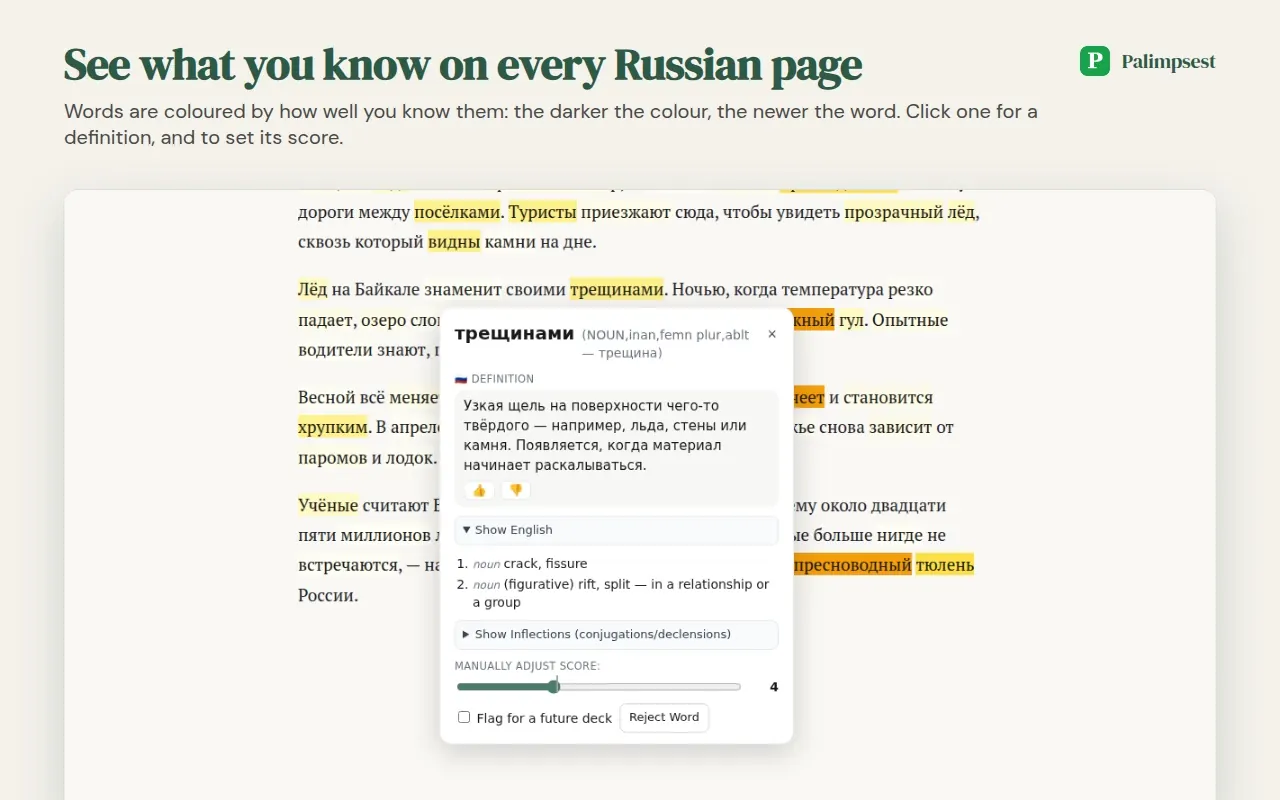
A Russian article with words colored by how well you know them, and the word popup open on one of them

On any page

  • Click a word for a definition in the language you're learning, written with words you already know, plus its English meanings. For Russian, the popup also shows the word's inflections.
  • The popup shows how well you know the word, from "New to me" to "Second nature", and whether that came from you, from your practice or from an estimate. Move the slider if it's wrong, reject a word, or flag it for a future flashcard deck.
  • Words are colored by how well you know them: the darker the color, the newer the word. Words you know stay plain.
  • Save any page to your Palimpsest library with one click.
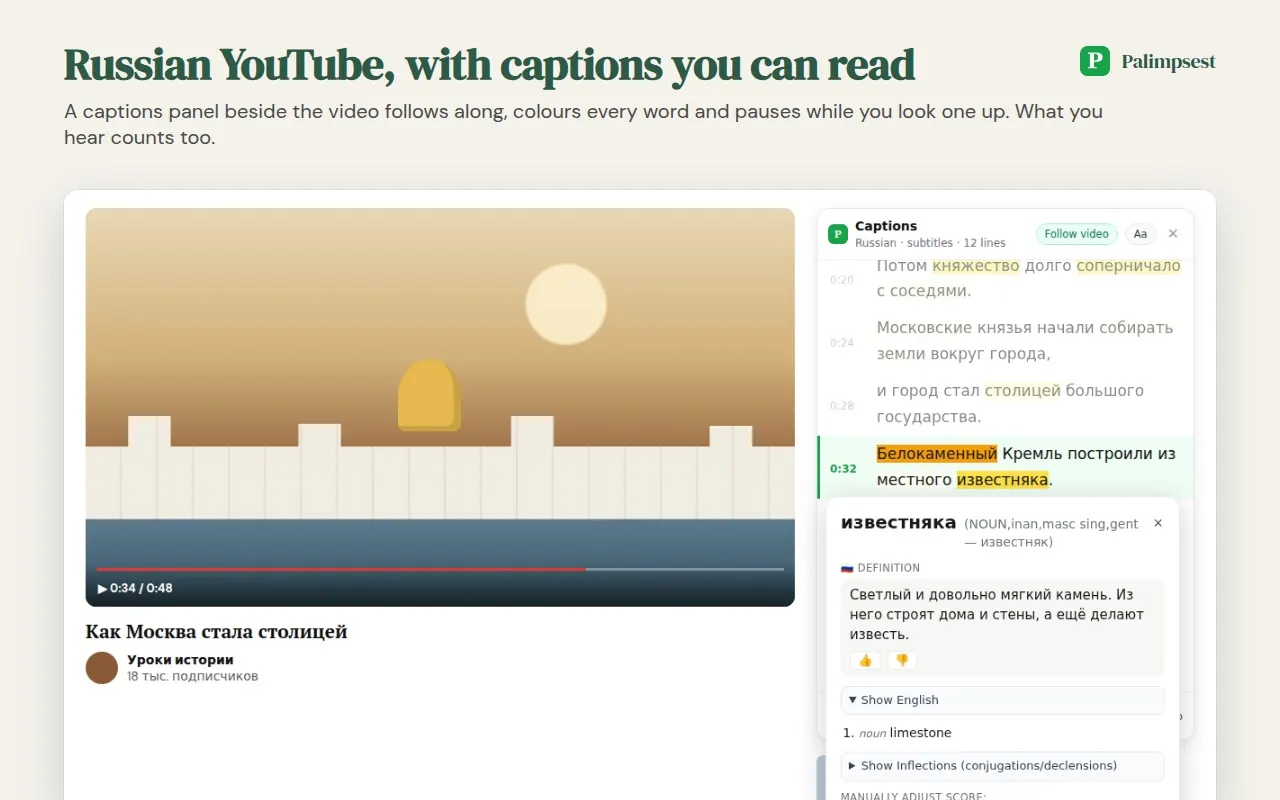
A YouTube video with a captions panel beside it, the Russian captions colored and one word looked up

On YouTube

  • A captions panel beside the video shows the captions in the language you're learning, colored and clickable, and follows the video. It pauses while you look a word up.
  • The lines you heard count toward your scores. Save the video, captions and all, to study it in the app.
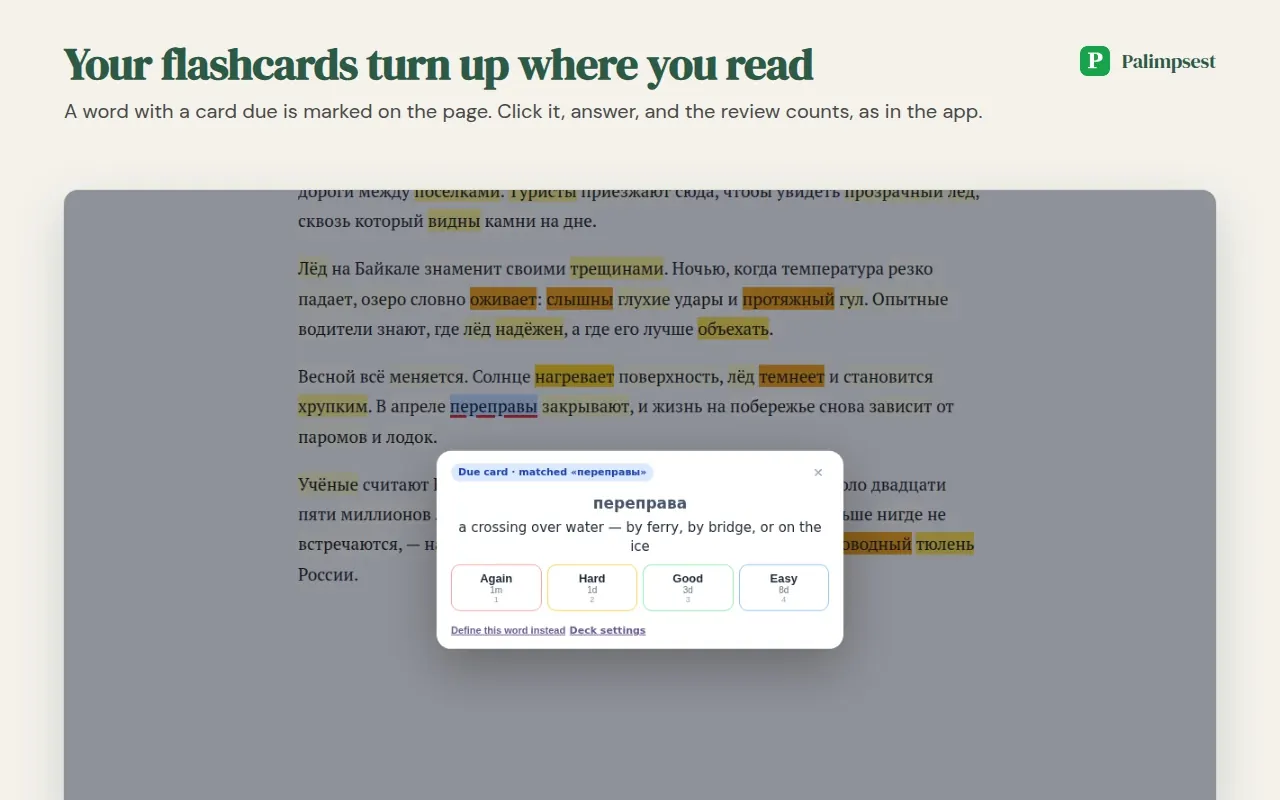
A due flashcard opened on the page where its word appears

Your reading counts

  • Flashcards that are due, from Palimpsest or from Anki, are marked where the word appears. Click, answer, and the review counts, as in the app.
  • Words you read or hear without looking them up count toward your scores, as reading in the app does. That is how Palimpsest learns what you know from what you do. You can switch this off in Settings.

Connecting it to your account

  1. Create a free account and add the language you're learning.
  2. Install the extension from the Chrome Web Store.
  3. In Palimpsest, open Settings → Browser extension and create a token.
  4. Paste the token into the extension's menu. Done.

Russian, Spanish, French and German. Chrome and other Chromium browsers.

Private by design

The extension reads pages on your computer and stops at any page that isn't in one of your languages. It never sends a page's address or text unless you press Save or flag a phrase for your flashcards. What it does send is words, in batches mixed across pages. For Spanish, French and German it works from a word pack downloaded to your computer, and words the pack doesn't recognize are sent without your account attached. No analytics, no advertising.

Read exactly what is sent, and when →